
linux系统xampp 5.6的安装教程,文章底部附一份xampp-linux-x64-5.6.3-0-installer.run文件。
安装教程:
1、下载xampp
看文章附件。
2、安装xampp
将xampp-linux-x64-5.6.3-0-installer.run文件上传到/root目录下
安装指令:
cd /root
chmod +x xampp-linux-x64-5.6.3-0-installer.run
./xampp-linux-x64-5.6.3-0-installer.run
3、启动xampp
xampp的默认安装目录为/opt/lampp
/opt/lampp/lampp start

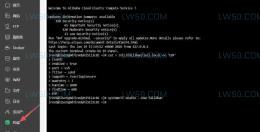
可以看到apache、mysql、ftp服务都显示OK了。
4、重启xampp
/opt/lampp/lampp restart
出现下面这样提示就是成功了!
Restarting XAMPP for Linux 5.6.3-0...
XAMPP: Stopping Apache...ok.
XAMPP: Stopping MySQL...ok.
XAMPP: Stopping ProFTPD...ok.
XAMPP: Starting Apache...ok.
XAMPP: Starting MySQL...ok.
XAMPP: Starting ProFTPD...ok.
END!!!
附件地址:
此处为隐藏内容,请评论后刷新页面查看,谢谢!
文章目录
安装教程:
- 1、下载xampp
- 2、安装xampp
- 3、启动xampp
- 4、重启xampp
附件地址:























发表评论
看看。
看看